If you get an error message that says "Couldn't find what you were looking for" even though you searched for an article that you know is in the file, it's probably the settings for the search that need to be adjusted.
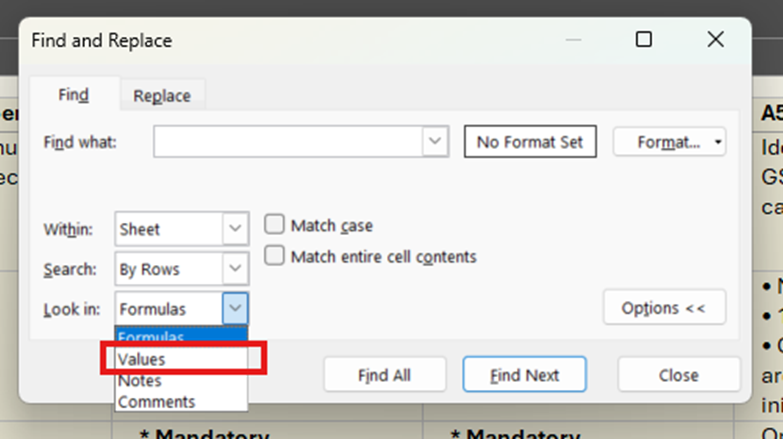
To be able to search for articles (by e.g. article number), you need to click on "Find and replace", then select Look in: Values. The error message that an article is missing from the file occurs because the automatic setting is that the search is done in only formulas, which needs to be adjusted to values in order for all content to be included in the search.
Was this article helpful?
That’s Great!
Thank you for your feedback
Sorry! We couldn't be helpful
Thank you for your feedback
Feedback sent
We appreciate your effort and will try to fix the article