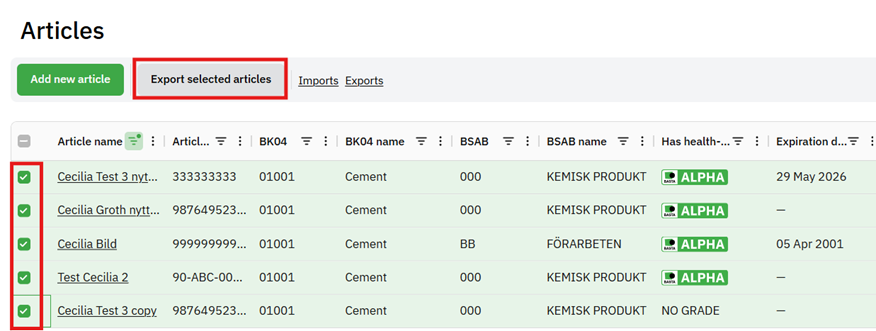
You can use filters to find the articles you want to export or check the checkboxes in the overview view on the far left to select which articles should be included in the export. Then click on "Export selected articles".
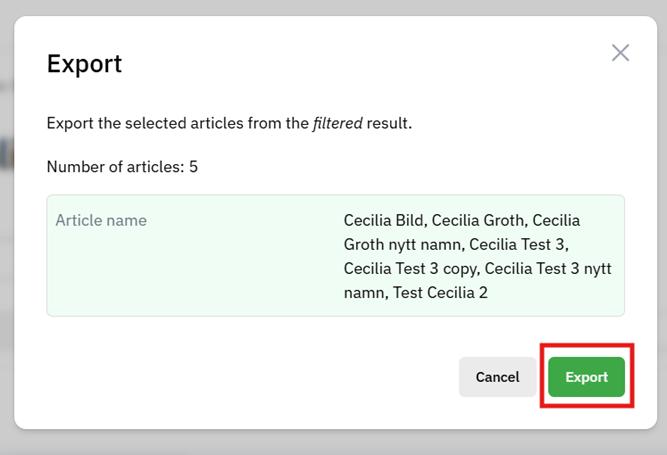
After this, you will see a pop-up where it shows what you have filtered on and how many articles will be included in the export when it starts, check that this is correct and then press "Export".
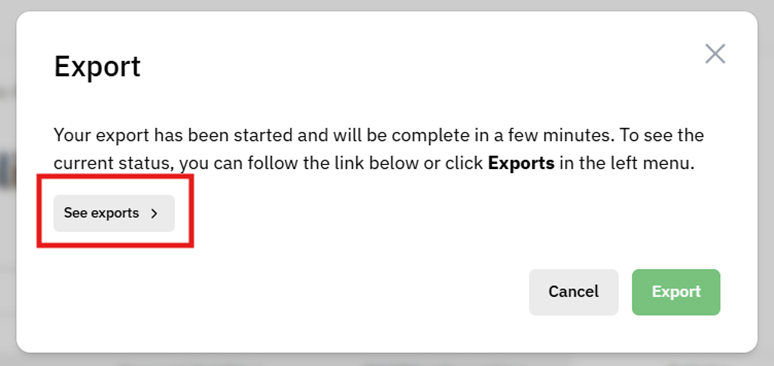
Once you have started the export, you can see the status and find the finished file by clicking on "See exports".
Was this article helpful?
That’s Great!
Thank you for your feedback
Sorry! We couldn't be helpful
Thank you for your feedback
Feedback sent
We appreciate your effort and will try to fix the article